Draw routes, motion and blocks
Last updated November 16, 2026
Once you have a formation on the field from Create your first diagram, shape each path with curves, pre-snap motion, and blocking rules.
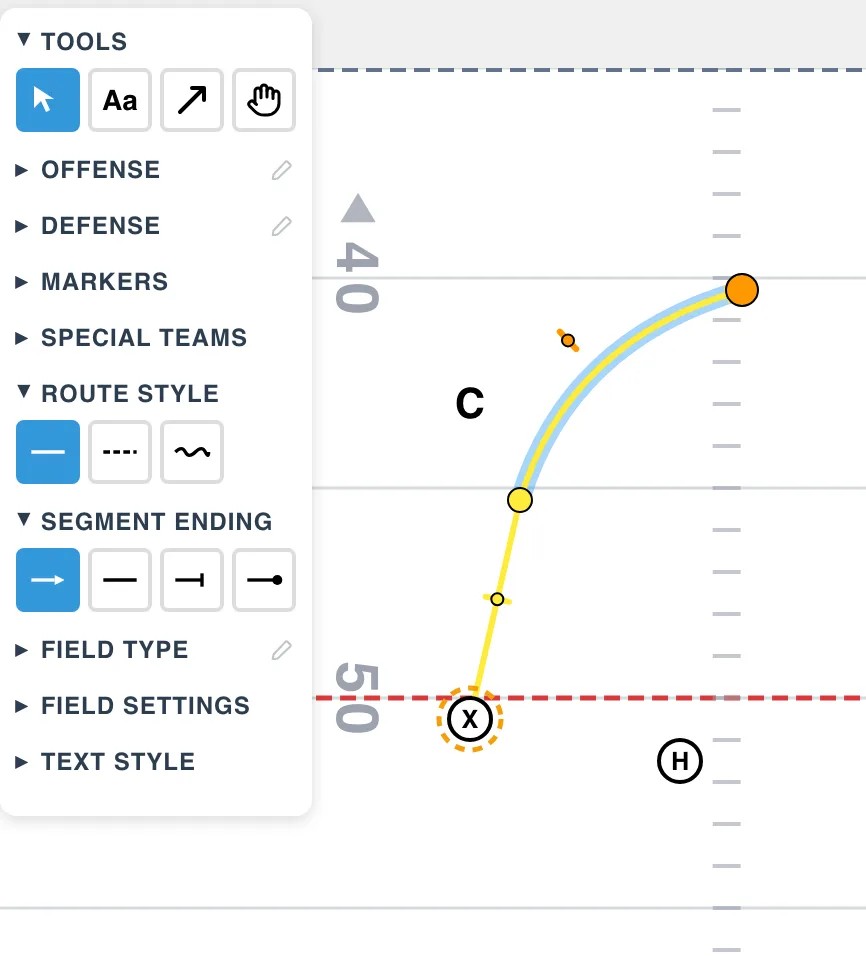
Draw and curve a route
- Select Route in the Tools bar, select a player, place each stem point on the field, and select Done to finish the path.
- Switch to Select, choose the segment you want to shape, and drag its orange curve handle outward. Double-click the curve handle to straighten it back.
- Select open field to clear the selection.
- On a tablet: Select Route on the left rail, tap the player and each route point, then select Done on the floating toolbar (or Cancel to discard the path).
Add pre-snap motion and continue into a route
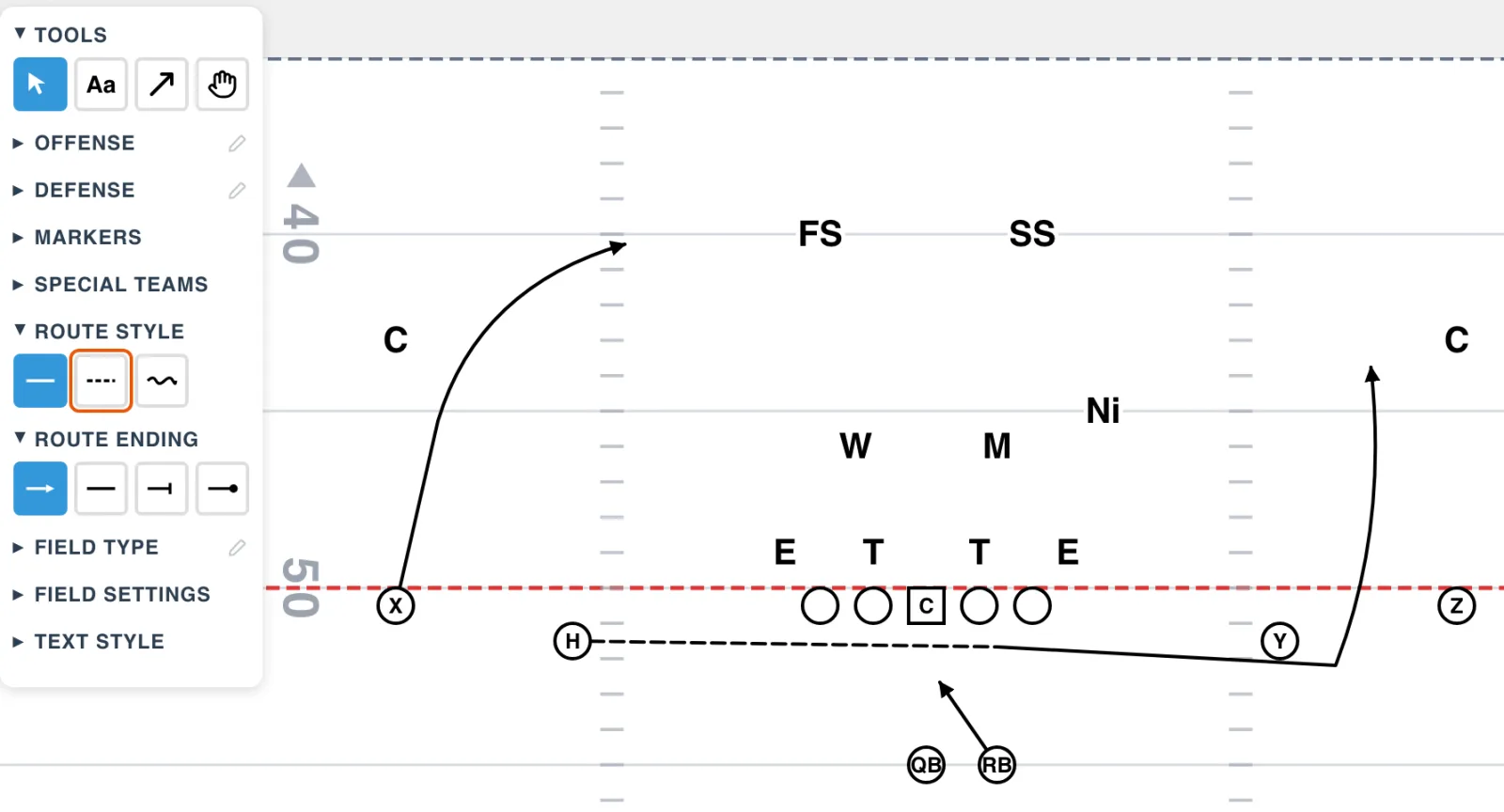
- Under Route Style choose Dashed, and under Route Ending choose None.
- Select Route, draw the motion from the player to the snap point, and select Done.
- Switch to Select, choose the dashed line, right-click the white endpoint handle, and choose Continue Route (or double-click the endpoint handle).
- Switch Route Style back to Solid and Route Ending back to Arrow, place the post-snap path, and select Done, then select open field to clear the selection.
- On a tablet: Open the Routes tab in the bottom dock for Route Style and Route Ending, or select an existing path and choose Extend on the left rail to continue it.
Draw blocks with T-stop endings
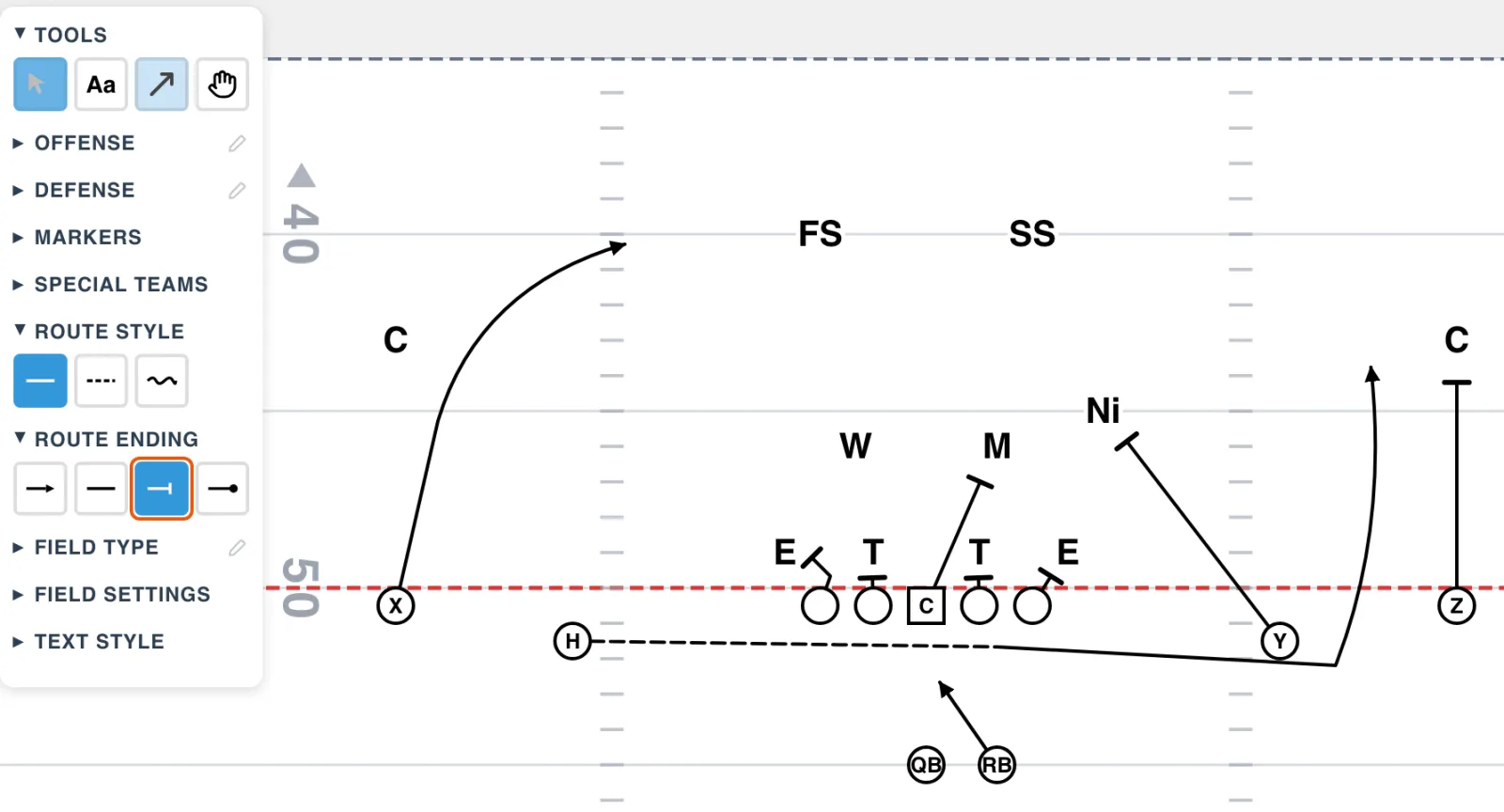
- Make sure no route is selected (select open field to deselect), then choose T-stop under Route Ending and select Route.
- Select a player, place an endpoint just in front of the defender, and select Done.
- For a two-point assignment like a tackle hinge, place an intermediate step point before the final T-stop spot to clear adjacent defenders.
Apply offensive line blocking rules
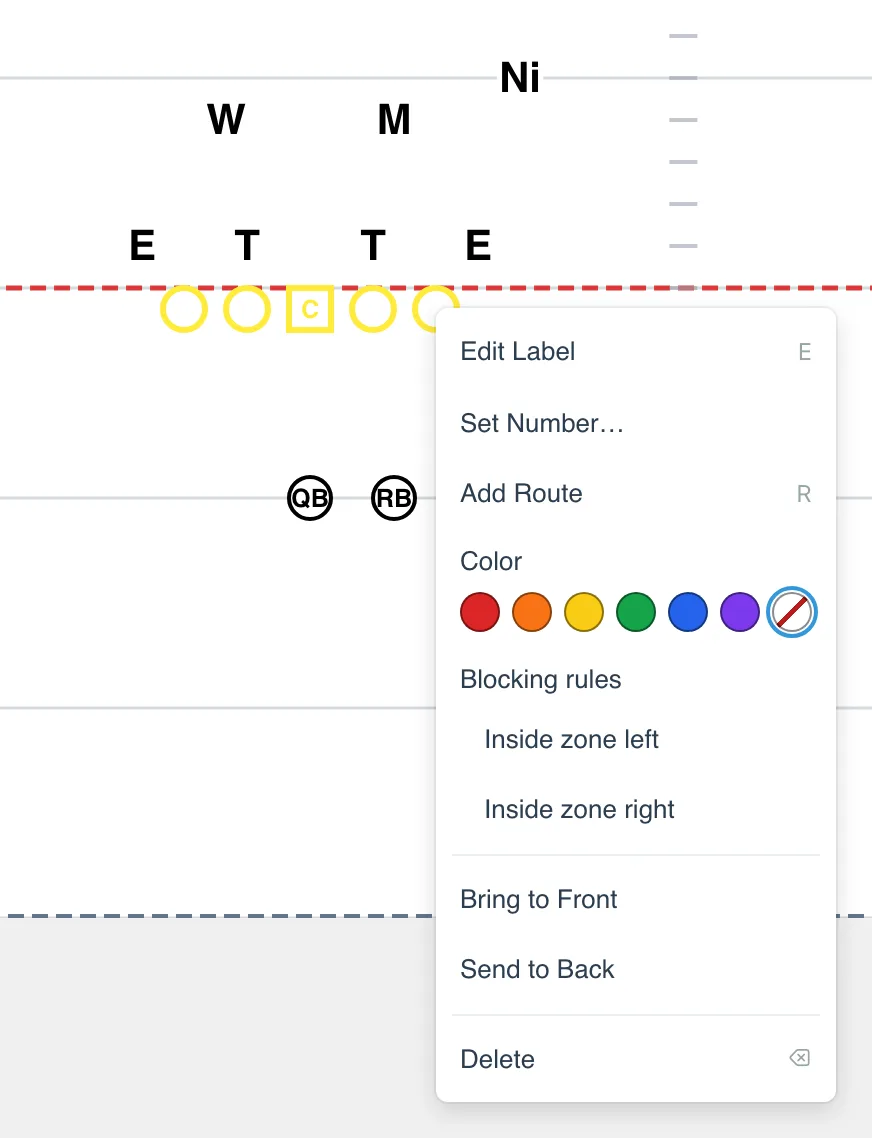
- With an offensive line and defensive front on the field, switch to Select and hold
Shiftwhile selecting all five offensive linemen (or two adjacent linemen on a combo block). - Right-click a selected lineman and choose a rule under Blocking rules, such as Inside zone left or Inside zone right for all five, or Ace, Deuce, or Trey rules for two adjacent linemen.
- On a tablet: Select one offensive lineman and choose Menu on the left rail to open Blocking rules (Inside zone left or Inside zone right). Multi-selecting two adjacent linemen for Ace, Deuce, or Trey combo rules requires a computer.
Shortcuts on a keyboard
R: start a route from a selected player or continue a selected pathReturn(Enter) or double-click: end your route at the last junction, or clear selection on a finished routeEsc: cancel the current drawing and return to SelectV: switch to SelectDeleteorBackspace: remove the selected route or blockCmd+ZorCtrl+Z: undo the last edit